
 Shopify
HV Hide Out of Stock Variant
Auto-hide sold out or out of stock variants, auto-show them when back in stock
Automatically hide out-of-stock variants on Shopify and show them again when restocked. Choose to hide or strike through unavailable options. Control variant visibility with rules based on stock level, missing images, zero prices, products, collections, tags, countries, or schedules.
What HV Hide Out of Stock Variant does
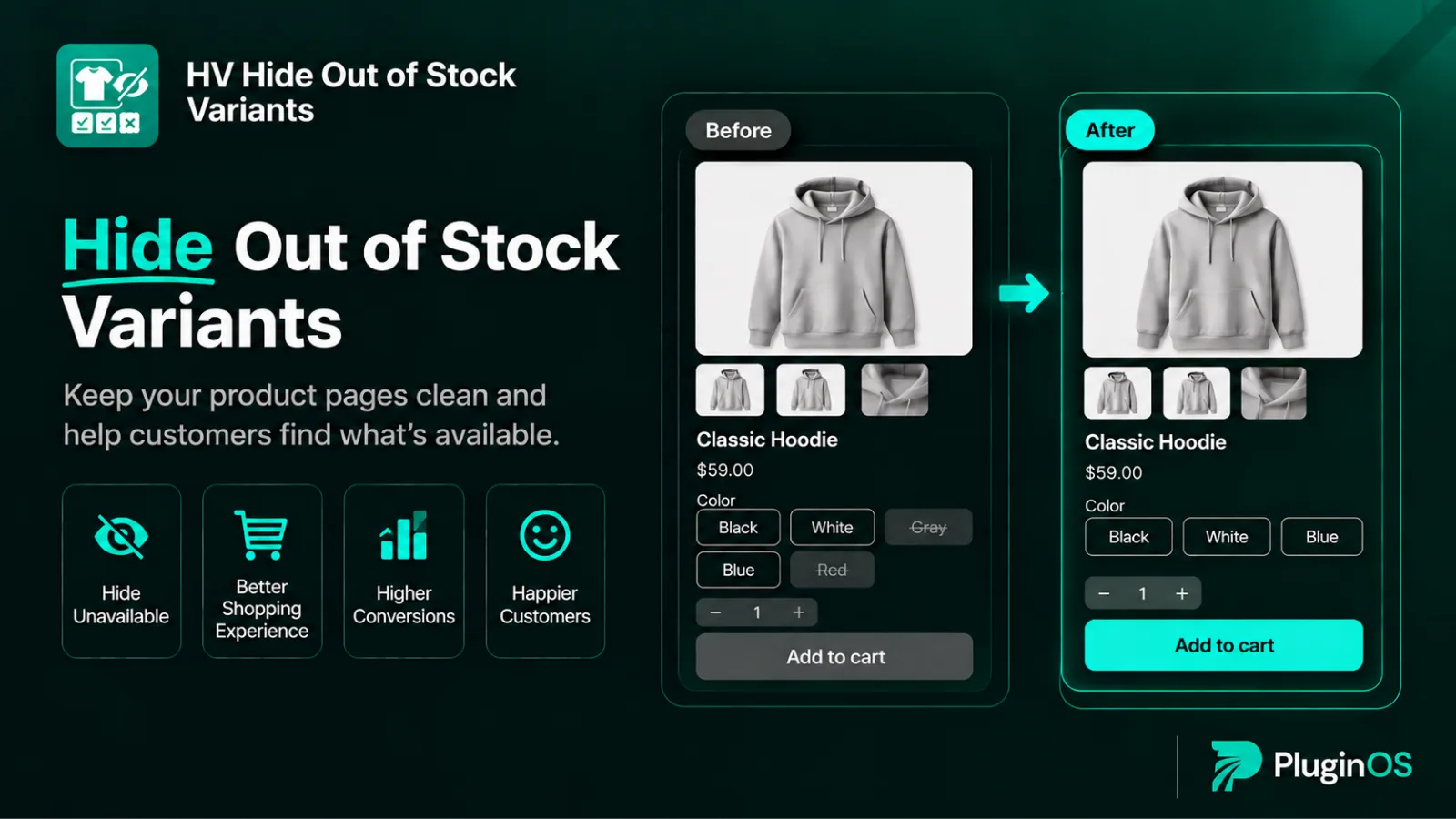
Automatically Hide Sold-Out Variants
Hide sold-out variants automatically and show them again when restocked
Hide, Disable or Keep Visible
Remove options, grey them out, or protect them from other rules.
Hide Specific Variants
Target exact combinations like Black / Medium or Red / XL.
Low Stock Threshold
Hide variants when stock drops below your chosen number.
Hide Variants Without Images
Keep unfinished variants off your product pages
Hide Zero-Priced Variants
Catch pricing and import mistakes before customers do
Target Products and Collections
Apply rules store-wide or to specific products, collections or tags
Country Targeting
Show or hide variants for specific countries.
Scheduled Rules
Start rules now or at a set date and time
See it in action
Hide sold out variants on Shopify, automatically
HV Hide Out of Stock Variants is a Shopify app that automatically hides sold out, out of stock and unavailable variants on your product pages. When a size or colour sells out, it's removed from the variant picker. When you restock, it comes back on its own. Your product pages always show only what shoppers can actually buy.
The problem with sold out variants
Most Shopify themes keep sold out options in the variant picker, crossed out, greyed out or labelled "Unavailable". On a product with many sizes and colours, that can mean a picker full of options nobody can order. Shoppers click them, can't add them to cart, and have to start again, which is especially frustrating on a small phone screen.
Shopify lets you unpublish a variant by hand, but it won't hide a variant when it goes out of stock or bring it back when you restock. With stock changing every day, keeping up manually means constant checking, and it's easy to miss a variant that came back in stock and stayed hidden.
How HV Hide Out of Stock Variants helps
Set up a rule once, and the app keeps your product pages accurate as your inventory changes, day and night. You stay in control of how it looks:
Hide sold out variants completely for items that won't return.
Show them greyed out for popular sizes that will be back soon.
Keep your best-sellers visible no matter what other rules do.
It handles products with more than one option correctly. A Medium can be hidden in Black while it stays available in Blue, so shoppers never lose access to a size that's still in stock in another colour.
Who it's for
Clothing, shoe and accessory stores with many size and colour combinations.
Brands running limited drops or selling one-of-a-kind items that sell out fast.
Stores that restock often and need variants to reappear without manual work.
Merchants importing products in bulk who want unfinished or zero-priced variants kept off the storefront.
Stores selling in several countries with different stock in each market.
No code, no theme edits
Everything is set up inside the app from your Shopify admin. There's no theme code to edit and nothing to redo when your theme updates. Try it free for 7 days and see your product pages show only what's in stock.
Choose your plan
Standard Monthly
$4.98/mo
- Unlimited rules
- Hide, disable, or keep variants visible
- Manual per-variant overrides
- Automatic restore when stock returns
- Scheduled rules with a start and end date
- Target products, variants & collections
- Show or hide variants by country
Standard Yearly
$49/yr
- Unlimited rules
- Hide, disable, or keep variants visible
- Manual per-variant overrides
- Automatic restore when stock returns
- Scheduled rules with a start and end date
- Target products, variants & collections
- Show or hide variants by country
Frequently asked questions
How do I hide sold out variants on Shopify automatically?
Install HV Hide Out of Stock Variants, create a rule with the "Hide sold-out variants" condition, and turn on automatic show when restocked. Sold out variants disappear from your product pages and come back when they're in stock again.
Will hidden variants come back when I restock?
Yes, if "Automatically publish/show when restocked" is on. A variant stays hidden only if another active rule still applies to it.
Can I hide a specific size and colour combination?
Yes. Choose "Specific variants" to target an exact combination, like Black / Medium, while every other size and colour stays visible.
Does it work on products with multiple options?
Yes. It works on products with multiple options, such as size, colour and material
Can I hide variants before they fully sell out?
Yes. Use "Hide when inventory is below a threshold" and set the stock level at which variants should disappear.
Can I show different variants in different countries?
Yes. Each rule can apply to all countries, only the countries you choose, or every country except the ones you exclude.
Do I need to edit my theme code?
No. Everything is set up inside the app from your Shopify admin.
Questions about HV Hide Out of Stock Variant?
Talk to the developers who built it. We reply within 24 business hours.