
 Shopify
Pluginos Reserve Items in Cart
Reserve cart items. Give shoppers time to buy.
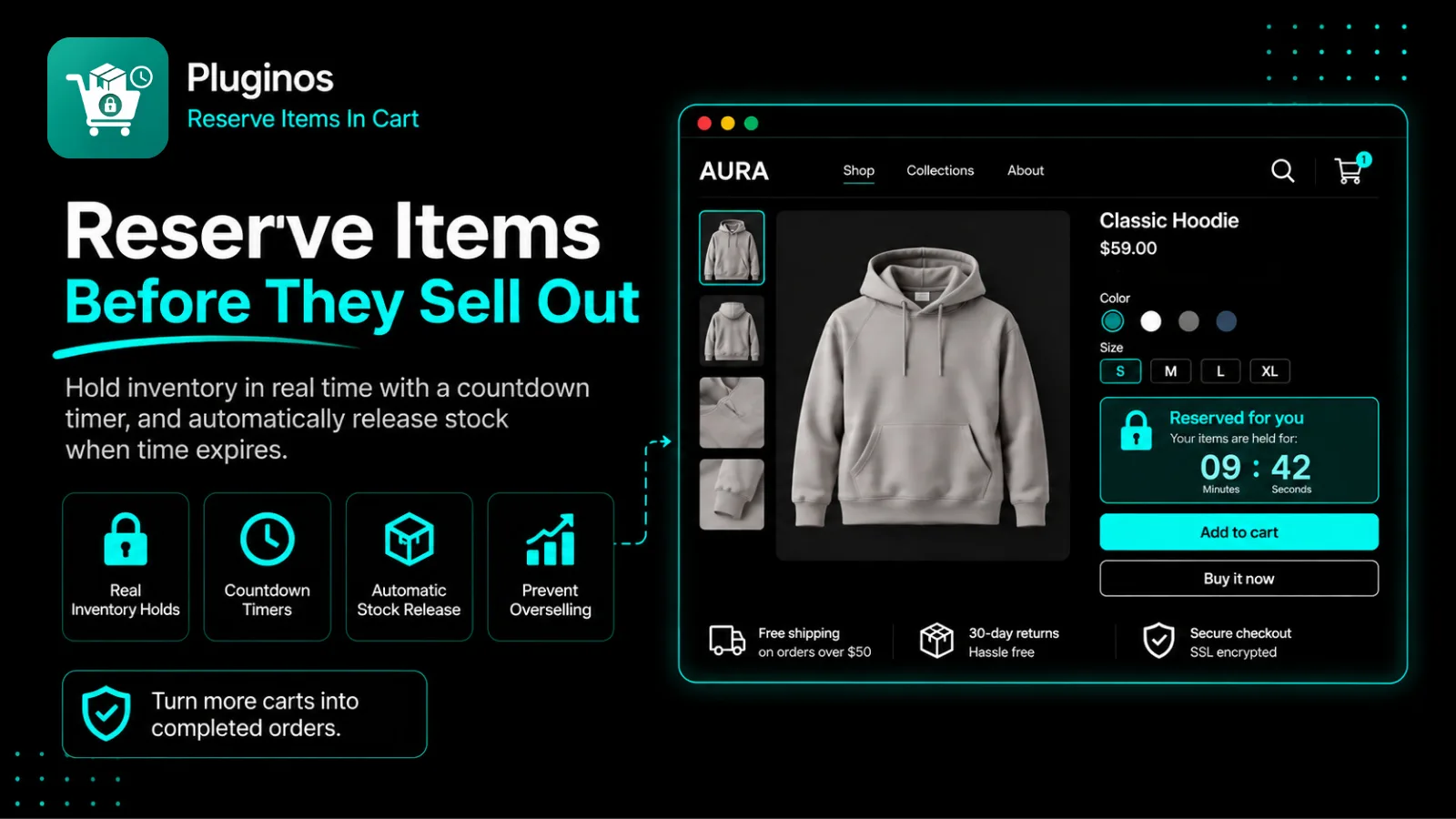
Give shoppers a clear window to purchase limited-stock items. Pluginos Reserve Items in Cart is a Shopify cart reservation app that temporarily holds inventory, shows reservation countdowns, and automatically releases stock when time runs out.
What Pluginos Reserve Items in Cart does
Reserve All or Selected Products
Temporarily hold stock for all products or selected products, variants, collections, and tags. Give shoppers a defined window to purchase.
Automatically Release Expired Holds
Release reserved stock when the reservation timer expires, making inventory available again without manually clearing expired holds.
Set Reservation Time and Limits
Choose the hold duration, limit reserved quantities per item, and control how many products each customer can reserve
Customize Your Reservation Timers
Choose from four timer templates with standard, compact, or stacked layouts. Match timer colors, fonts, and messages to your theme
Activate Reservations When Stock Runs Low
Set a stock threshold to activate reservations when inventory runs low, focusing holds on items with limited availability.
Choose Where Timers Appear
Display reservation countdowns on product and cart pages, or both, to keep customers informed about their purchase window.
Show Reservation Messages and Badges
Show custom messages based on reservation status and a fully reserved product badge when all available stock is held.
Choose Customer Eligibility
Enable cart reservations for all shoppers, logged-in customers only, or guests only.
Show Reservation by Country
Apply country-based reservation rules to choose where shoppers qualify for inventory holds
Monitor Cart Reservation Analytics
Track active reservations, converted reservations, conversion rate, and abandoned carts. Filter activity logs by reserved, converted, expired, released, or blocked status.
See it in action
Reserve Cart Items. Give Shoppers Time to Buy.
When stock is limited, shoppers can find that an item they wanted has sold out before they complete checkout. For merchants selling unique products or small batches, this can mean disappointed customers.
Pluginos Reserve Items in Cart is a Shopify cart reservation app that temporarily holds inventory, giving shoppers a clear window to purchase. Countdown timers show how much time remains, and held stock is released automatically when reservations expire.
Choose which products and customers qualify, set reservation durations and limits, and customize timers to match your storefront. Detailed analytics help you review reservation activity.
For Sales Where Every Item Matters
One-of-a-kind products: Give shoppers a defined purchase window for unique pieces, handmade items, or collectibles.
Product drops and limited releases: Apply reservation rules to the products, variants, or collections in your next release.
Small-batch restocks: Activate reservations when inventory reaches your chosen low-stock threshold.
Flash sales: Set temporary holds and customer reservation limits to suit your sale.
Give shoppers time to buy while keeping expired holds from tying up stock.
Choose your plan
Starter
$9.99/mo
- 300 reservations per billing period
- Up to 5 reservation rules
- Country targeting
- 14-day analytics history
- Standard reservation timer
Pro
$19.99/mo
- Unlimited reservations
- Unlimited reservation rules
- Country and customer-role targeting
- 90-day analytics history
- 4 timer templates and storefront customi
- Stock-threshold rules
Frequently asked questions
What does Pluginos Reserve Items in Cart do?
Pluginos temporarily holds inventory for eligible cart items, giving shoppers a defined window to purchase. Reservation timers show how much time remains, and held stock is released automatically when reservations expire
Can I reserve all products or only selected items?
You can enable reservations for all products or target specific products, variants, collections, and tags.
Can I choose how long items stay reserved?
Yes. You can set the reservation duration to control how long customers can hold eligible items.
Can I limit how much each customer reserves?
Yes. You can limit the quantity of each item a customer can reserve and the number of products a customer can reserve.
What happens when a reservation expires?
The inventory hold is released automatically, making the reserved stock available again.
Can I customize the timers to match my store?
Yes. Choose from four timer templates and standard, compact, or stacked layouts. Customize the timer appearance to match your Shopify theme.
Can shoppers see when a product is fully reserved?
Yes. You can display a fully reserved badge on products and customize messages based on reservation status.
Questions about Pluginos Reserve Items in Cart?
Talk to the developers who built it. We reply within 24 business hours.