
Best Shopify Apps for Black Friday 2026: 10 Picks
The best Shopify apps for Black Friday 2026 protect your stock before they chase upsells. Here are 10 picks grouped by job: hold stock in carts, cap bulk buys, capture sold-out demand, schedule discounts, and bring shoppers back, with current prices and free plans.

Nov 12, 2026 · 12 min read
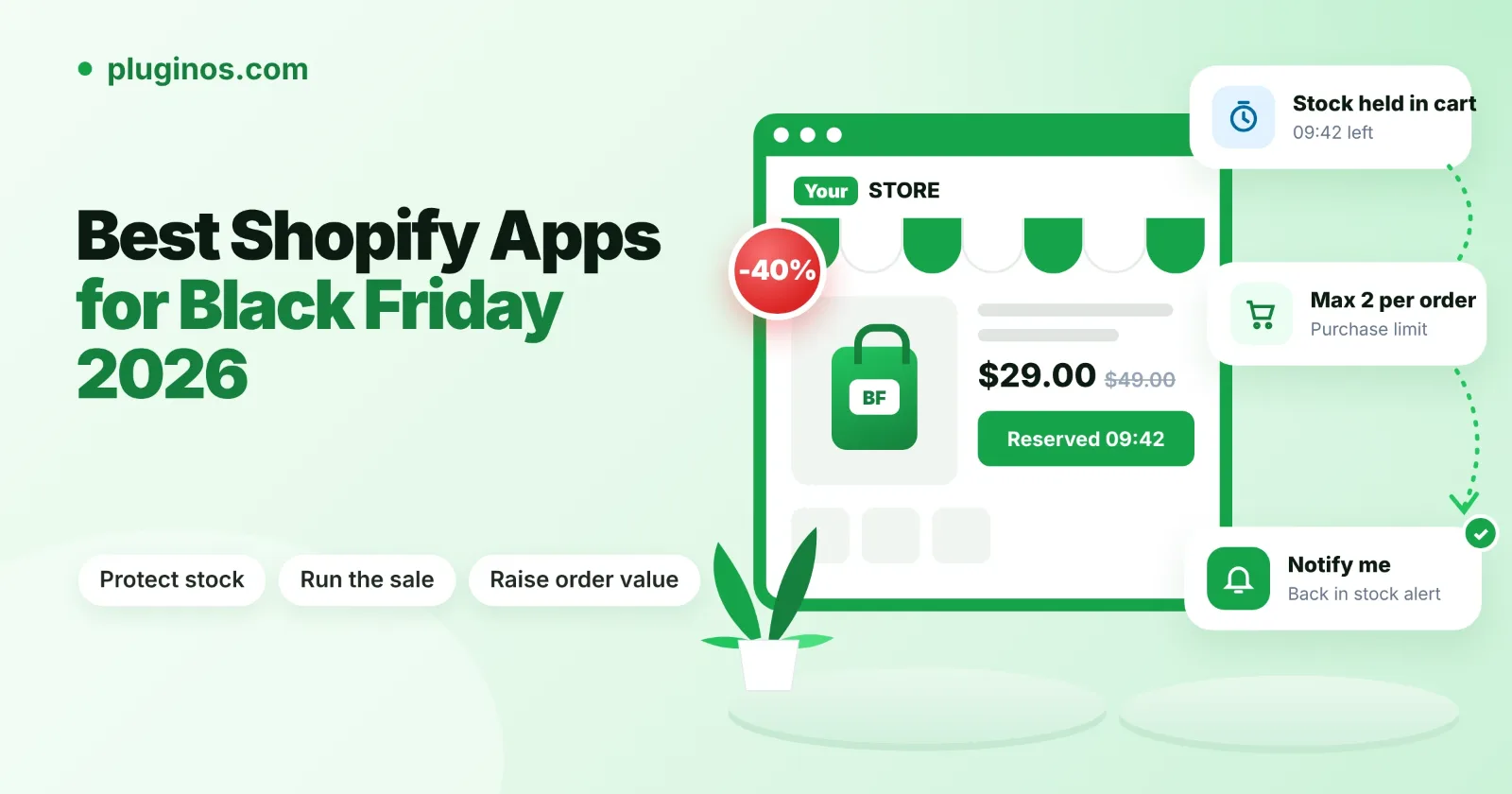
The best Shopify apps for Black Friday 2026 protect your stock and checkout first, and only then try to raise order value. A sale that oversells, lets one buyer empty your doorbusters, or leaves sold-out pages with nowhere to go loses more than any upsell can win back.
Quick answer: Start with three jobs: hold stock while shoppers check out, cap how many units one order can take, and capture demand on sold-out products. Then use Shopify's built-in discounts to schedule the sale, and add reviews, post-purchase offers and abandoned-cart emails. Black Friday is November 27, 2026 and Cyber Monday is November 30, so install and test anything new this week, not on the day.
A note on how this list was made. Pluginos makes three of the apps below (Reserve Items in Cart, Order Quantity Limits, and Back in Stock - Restock Alert). They're new and have no App Store reviews yet, so we name an alternative wherever one may suit you better. We didn't run sales tests: prices, ratings, Pluginos Reserve Items in Cart and features come from each app's Shopify App Store listing, checked on November 11, 2026.
The 10 best Shopify apps for Black Friday at a glance
The list is grouped by the job each app does, in the order we'd set them up. Prices are the lowest paid monthly plan in USD.
# | App | Job during the sale | Free plan | Paid from |
|---|---|---|---|---|
1 | Pluginos Reserve Items in Cart | Hold stock in carts with a countdown | No (7-day trial) | $9.99/month |
2 | Pluginos Order Quantity Limits | Cap units per product, cart or order | Yes, 1 rule | $4.99/month |
3 | Back in Stock - Restock Alert | Email shoppers when sold-out items return | No (7-day trial) | $4.99/month |
4 | Shopify discounts (built in) | Schedule the sale's discounts | Included in Shopify | $0 |
5 | Hextom: Countdown Timer Bar | Show the sale deadline in a bar | Yes | $9.99/month |
6 | ReConvert Post Purchase Upsell | Offers after payment and on the thank you page | Up to 50 orders | $9.99/month |
7 | Judge.me Product Reviews | Reviews and star ratings | Yes | $15/month |
8 | Shopify Messaging | Email campaigns and abandoned-cart emails | 10,000 emails a month | $1 per 1,000 extra emails |
9 | Klaviyo: Email Marketing & SMS | Dedicated email and SMS platform | Up to 250 active profiles | $15/month (SMS), $20/month (email) |
10 | Shopify Inbox | Live chat and AI replies to shopper questions | Free | $0 |
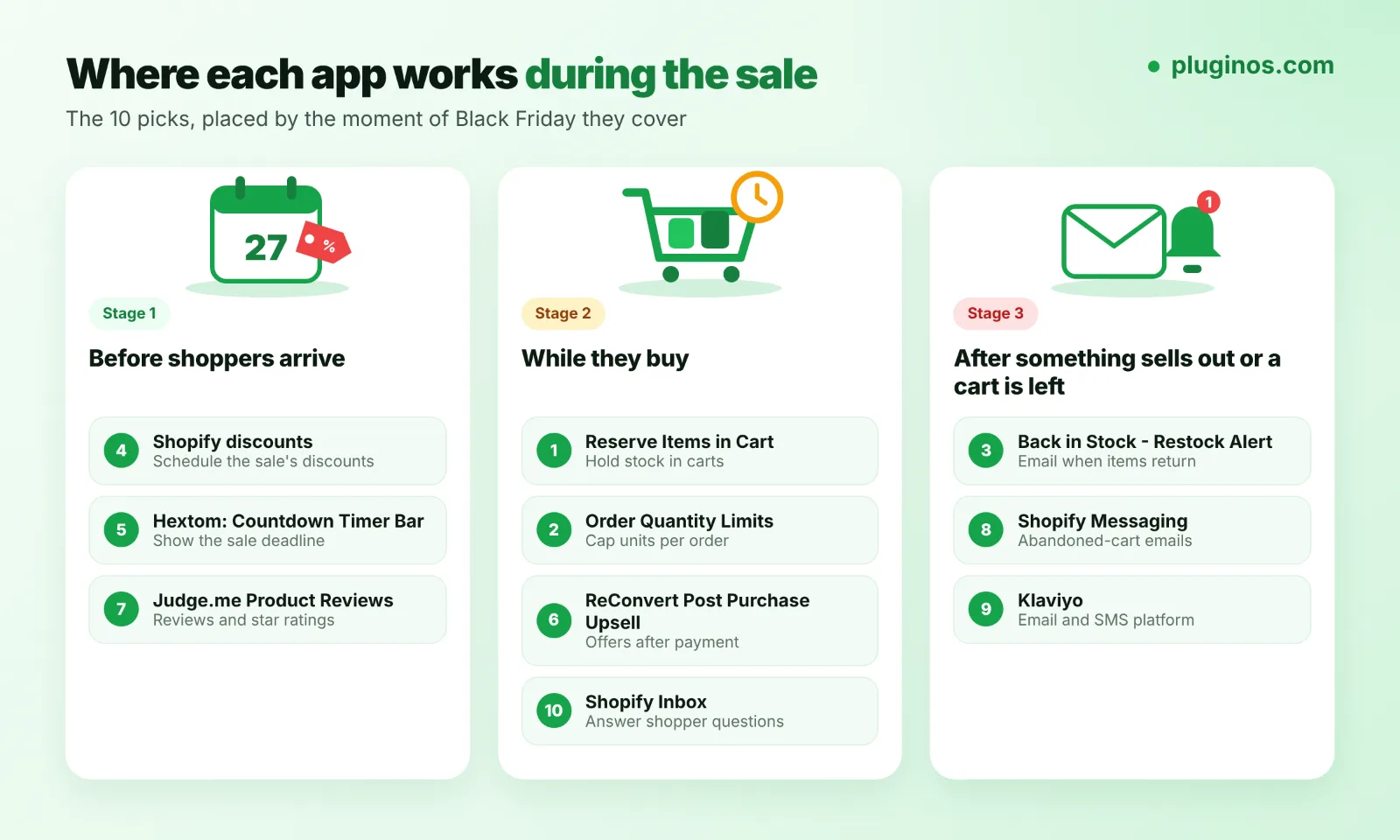
Each app covers a different moment of the sale: before shoppers arrive, while they buy, and after something sells out or a cart is left.
How we chose these apps
We started from what breaks during Black Friday traffic, not from the most-installed apps. Every pick had to do one clear job, have a current App Store listing, and offer a free plan or trial so you can test it before the sale.
We also kept the list short on purpose. Shopify names "the apps you've installed" among the biggest factors in store speed, and advises removing apps that aren't essential for sales (Shopify Help Center). Ten well-chosen apps beat thirty overlapping ones.
Protect your stock first
These three apps deal with the problems that cost the most during a rush: overselling, bulk buying, and dead sold-out pages.
1. Pluginos Reserve Items in Cart: hold stock while shoppers check out

Overselling during a flash sale is a common Black Friday complaint. In one Shopify Community thread, a merchant selling 400 numbered units oversold by 4 to 8 units, even with Continue selling when out of stock turned off. Replies point to two causes: carts don't hold stock, and several checkouts can go through at almost the same moment (Shopify Community).
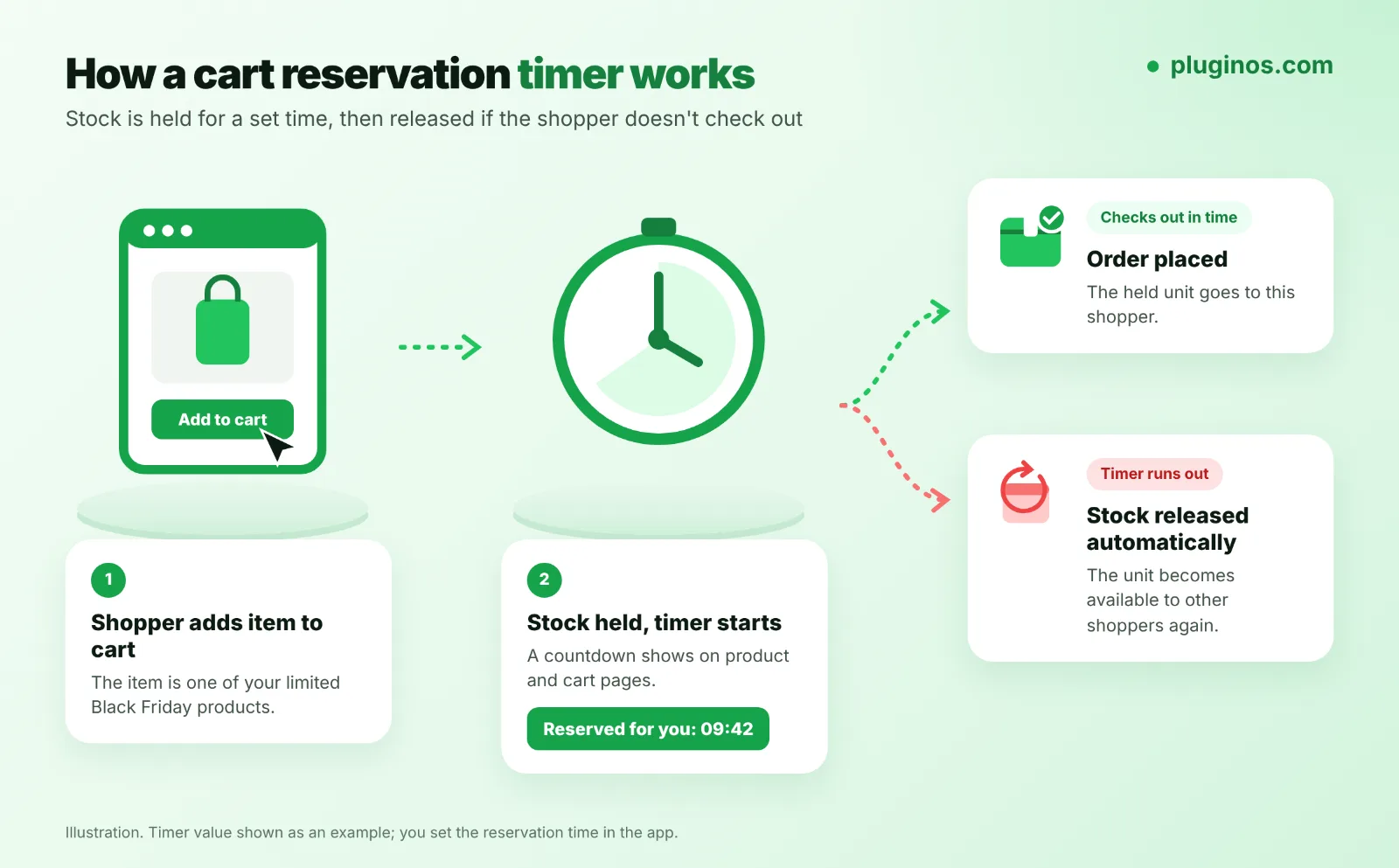
Reserve Items in Cart holds stock for a set time once an item is in the cart, shows a countdown on product and cart pages, and releases the stock automatically when the timer runs out (Shopify App Store).
Useful for Black Friday: reserve all products or only chosen products, variants, collections or tags; start reservations only when stock falls below a threshold (Pro); limit how much each customer can reserve.
Pricing: Starter $9.99/month (300 reservations, up to 5 rules); Pro $19.99/month (unlimited reservations and rules, 4 timer templates). 7-day free trial.
Watch out for: a hold that's too long keeps stock stuck in abandoned carts while other shoppers see it as unavailable. Start with a short timer on your limited items only. The app is new and has no reviews yet.
Alternative: Cart Reservation Patrol has a free plan covering up to 3 protected products and 100 reservations a month, which is enough to protect a few doorbusters. It also has no reviews yet.
2. Pluginos Order Quantity Limits: stop one buyer taking every doorbuster

If your best deal sells out to a handful of bulk buyers, everyone else leaves disappointed. A maximum quantity per product or per order spreads limited stock across more customers.
Order Quantity Limits sets minimum, maximum, or exact quantities per product, variant, collection, or cart, and shows a message when a rule isn't met (Shopify App Store).
Useful for Black Friday: scheduled rules (Essential), so limits switch on for the sale only; limits by customer tag, B2B or country (Pro).
Pricing: Free plan with 1 active rule for up to 3 products or variants; Essential $4.99/month; Pro $9.99/month. 7-day free trial on paid plans.
Watch out for: a purchase limit cuts bulk orders, but it doesn't stop two shoppers from checking out the last unit at the same moment. Pair it with a cart reservation app for limited stock. No reviews yet.
For how minimums and maximums work on Shopify more generally, see our guide to Shopify minimum and maximum order quantity.
3. Back in Stock - Restock Alert: keep sold-out pages selling

Your best sellers will sell out. A Notify me button turns each sold-out page into a list of shoppers to email the moment you restock.
Back in Stock - Restock Alert adds the button, lets shoppers subscribe to the exact variant they want, and emails them automatically when stock returns (Shopify App Store).
Pricing: Starter $4.99/month (100 restock emails, up to 3 product rules); Pro $15.99/month (unlimited emails, all products). 7-day free trial.
Watch out for: the Starter limit of 100 emails can run out fast after a big sell-out. No reviews yet.
Alternative: Amp Back in Stock & Preorder + is rated 4.9 from 1,005 reviews. Its free plan sends 10 notifications a month, and paid plans from $19/month add preorders and SMS.
If you'd rather hide sold-out sizes and colours than show them greyed out, HV Hide Out of Stock Variant ($4.98/month) hides them and brings them back on restock. Our guide on adding "notify me when back in stock" in Shopify covers the free and paid options.
Run the sale itself
You may not need an app to run the discount itself. Shopify's own discounts cover most Black Friday offers.
4. Shopify discounts: free scheduling built into your admin
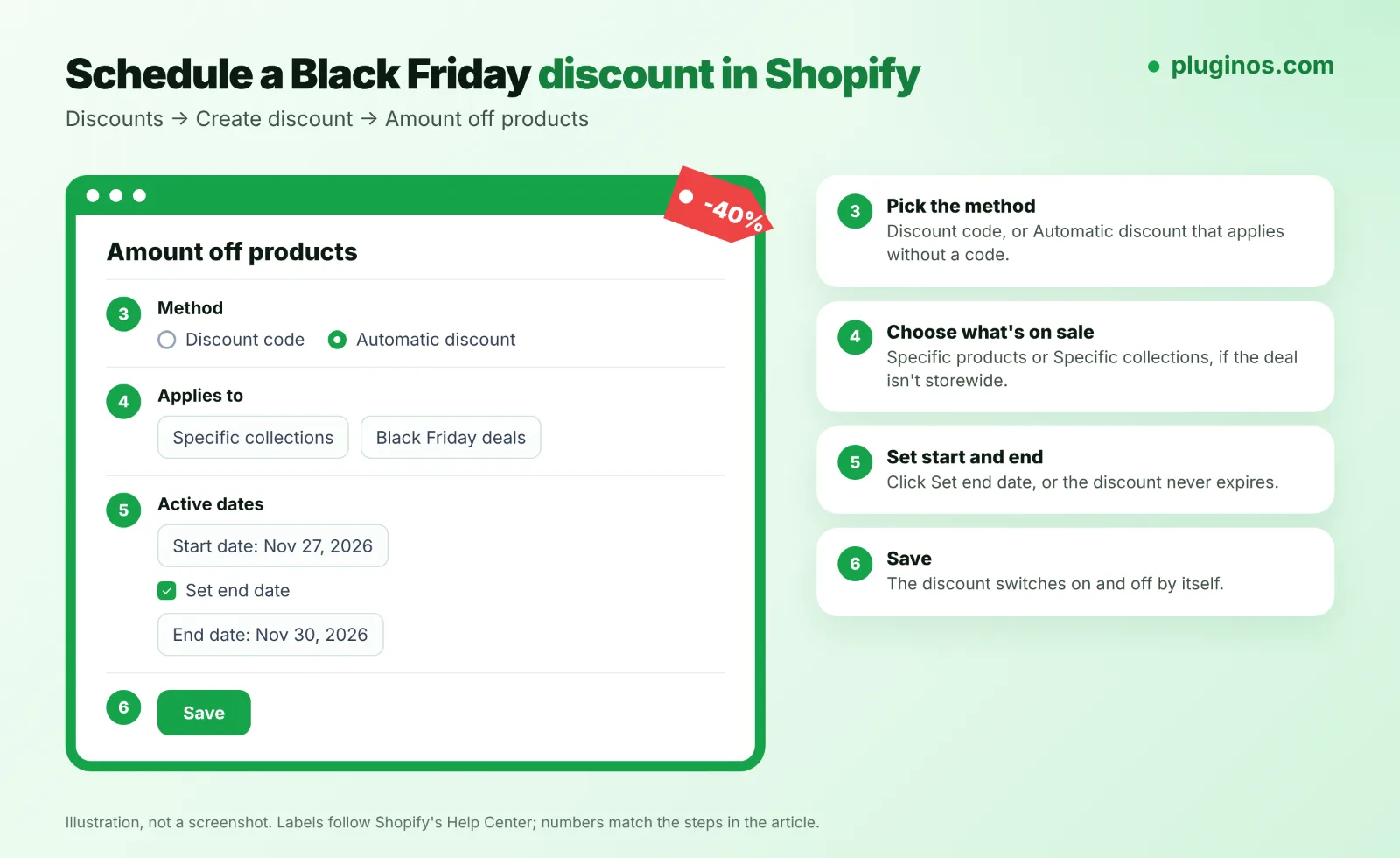
You can set a Black Friday discount to start and end on its own, so nobody has to switch it on at midnight. Here's how, using Shopify's current labels (Shopify Help Center):
In your Shopify admin, go to Discounts and click Create discount.
Choose Amount off products.
Under Method, pick Discount code or Automatic discount.
Set the value, and under Applies to choose Specific products or Specific collections if the deal isn't storewide.
In Active dates, set the start date, click Set end date, and choose when it ends.
Click Save.
Know the limits before you plan stacked offers. You can have up to 25 active automatic discounts, including app-based ones, and a customer can use up to 5 product or order codes plus 1 shipping code per order (Shopify Help Center). Combining product discounts on the same line item needs Shopify Plus. Tiered or multi-step offers may need a discount app.
5. Hextom: Countdown Timer Bar: show the deadline

A bar at the top of every page reminding shoppers when the sale ends is the simplest urgency tool there is. Hextom: Countdown Timer Bar is rated 4.9 from 761 reviews and carries the Built for Shopify badge.
Pricing: free plan with an event-based timer, page and device targeting; Premium $9.99/month adds unlimited bars, recurring timers and targeting by Shopify Markets. 7-day free trial.
Watch out for: use it for real deadlines only. A timer that resets when the page reloads is easy to spot and costs trust.
Raise order value without deeper discounts
Black Friday margins are thin already. These apps add revenue to orders you were going to get anyway.
6. ReConvert Post-Purchase Upsell: offers after payment

ReConvert shows one-click offers after payment and on the thank you page, so an upsell never stands between a shopper and checkout. It's rated 4.8 from 3,135 reviews.
Pricing: free up to 50 orders or $50 of upsell revenue; paid plans from $9.99/month, based on order volume. 14-day free trial.
Watch out for: upsells inside checkout itself require Shopify Plus.
Comparing more options? See our breakdown of the best Shopify upsell apps.
7. Judge.me Product Reviews: social proof for first-time buyers

Black Friday brings shoppers who've never bought from you. Reviews answer the question they're asking. Judge.me is rated 5.0 from 49,953 reviews.
Pricing: the free plan includes unlimited reviews, photo and video reviews, and Google rich snippets. Awesome ($15/month) adds automatic review reminders, coupons and more widgets.
Watch out for: reviews take weeks to build. Installing now helps most with reviews from Black Friday orders, for the rest of the season.
Our list of the best Shopify review apps compares Judge.me with paid alternatives.
Bring shoppers back and answer their questions
Abandoned carts and unanswered questions both spike when traffic does.
8. Shopify Messaging: free email and abandoned-cart automations

Shopify's own marketing app (listed on the App Store as Shopify Messaging; the help pages still call it Shopify Email) sends campaigns and runs automations such as abandoned cart, abandoned checkout, and win-back emails. It's rated 4.8 from 4,833 reviews.
Pricing: stores on Basic, Grow, Advanced or Plus get 10,000 free emails each month, then $1 per 1,000 emails up to 300,000 (Shopify Help Center). Free emails don't roll over.
Best for: stores that want abandoned-cart emails running before the sale without another subscription.
9. Klaviyo: Email Marketing & SMS: when you need a dedicated platform

Klaviyo is the step up when you want deeper segmentation and SMS in one place. It's rated 4.7 from 3,431 reviews.
Pricing: free up to 250 active profiles and 500 emails a month; Email $20/month for 251 to 500 contacts; SMS $15/month for up to 1,250 credits. Klaviyo may bill outside your Shopify invoice.
Watch out for: moving platforms the week before Black Friday is risky. If your flows already run in Shopify Messaging, switch after the season.
10. Shopify Inbox: answer shoppers before they leave

"Does this ship before Christmas?" goes unanswered and the cart goes cold. Shopify Inbox is free and adds live chat plus an AI sales associate that reads your catalog, inventory, and policies. It's rated 4.5 from 5,821 reviews.
Watch out for: recent reviews mention no API and no option to reply by email, so busy teams on a helpdesk may prefer one that connects to it.
Your Black Friday app checklist for the last 10 days
Apps only help if the store underneath is ready. Work through this list before November 27.
Check inventory settings on limited items. Make sure Inventory tracked is on and Continue selling when out of stock is off, unless you're taking pre-orders. When it's off, customers can't buy an item whose stock is zero or below (Shopify Help Center).
Put stock at the right location. An item shows as out of stock online if the location that fulfills online orders is at zero, even when another location has units.
Install new apps now, then test. Add a product to the cart and complete a test order on desktop and on a phone after each install.
Remove apps you won't use. Uninstalling an app doesn't automatically remove its code from your theme, so ask the developer how to clean up fully (Shopify Help Center).
Schedule every discount with an end date, and test that the codes you plan to combine actually combine.
Turn on abandoned-cart emails in Shopify Messaging or Klaviyo before traffic arrives.
On the day, keep Shopify Status open, so you know whether a problem is yours or Shopify's.
If you need something no app does, such as a custom drop page or an inventory sync with your warehouse, the Pluginos development team builds custom Shopify apps and automations. For more ideas beyond Black Friday, see our list of Shopify apps to increase sales.
Frequently asked questions
What are the best Shopify apps for Black Friday?
Start with apps that protect stock: a cart reservation app, a purchase limit app, and a back-in-stock app. Then add reviews, post-purchase upsells, and abandoned-cart emails. Shopify's built-in discounts handle scheduling the sale itself for free.
How do I run a Black Friday sale on Shopify?
Go to Discounts, click Create discount, and choose a type such as Amount off products. Pick Discount code or Automatic discount, set the value, then set the start and end dates under Active dates and save.
How do I stop overselling on Shopify during Black Friday?
Keep Continue selling when out of stock turned off for limited items, and make sure stock sits at the location that fulfills online orders. For high-demand items, a cart reservation app holds stock while shoppers check out, and a purchase limit stops one buyer taking too many units.
Do Shopify apps slow down my store?
They can. Shopify lists installed apps among the biggest factors in store speed and recommends removing apps that aren't essential for sales. Uninstalling doesn't always remove an app's code, so check your theme after removing one.
When should I install Black Friday apps?
As early as you can, and at least a week before the sale, so you have time to test them together. Black Friday 2026 is November 27 and Cyber Monday is November 30. Avoid installing or switching apps on the day itself.
Written by
Pluginos
Pluginos is a WordPress, WooCommerce, and Shopify development team with 8+ years of experience building plugins, apps, and eCommerce solutions. We share practical tutorials and insights based on hands-on development experience.
Tools from this article
 Shopify
Back in Stock - Restock Alert
Notify customers the moment products are back in stock and turn sold-out pages into sales.
 Shopify
Pluginos Order Quantity Limits
Set min and max order quantity limits and target them by customer group or country.
 Shopify
Pluginos Reserve Items in Cart
Give shoppers a clear window to purchase limited-stock items. Pluginos Reserve Items in Cart is a Shopify cart reservation app that temporarily holds inventory, shows reservation countdowns, and automatically releases stock when time runs out.
Related articles
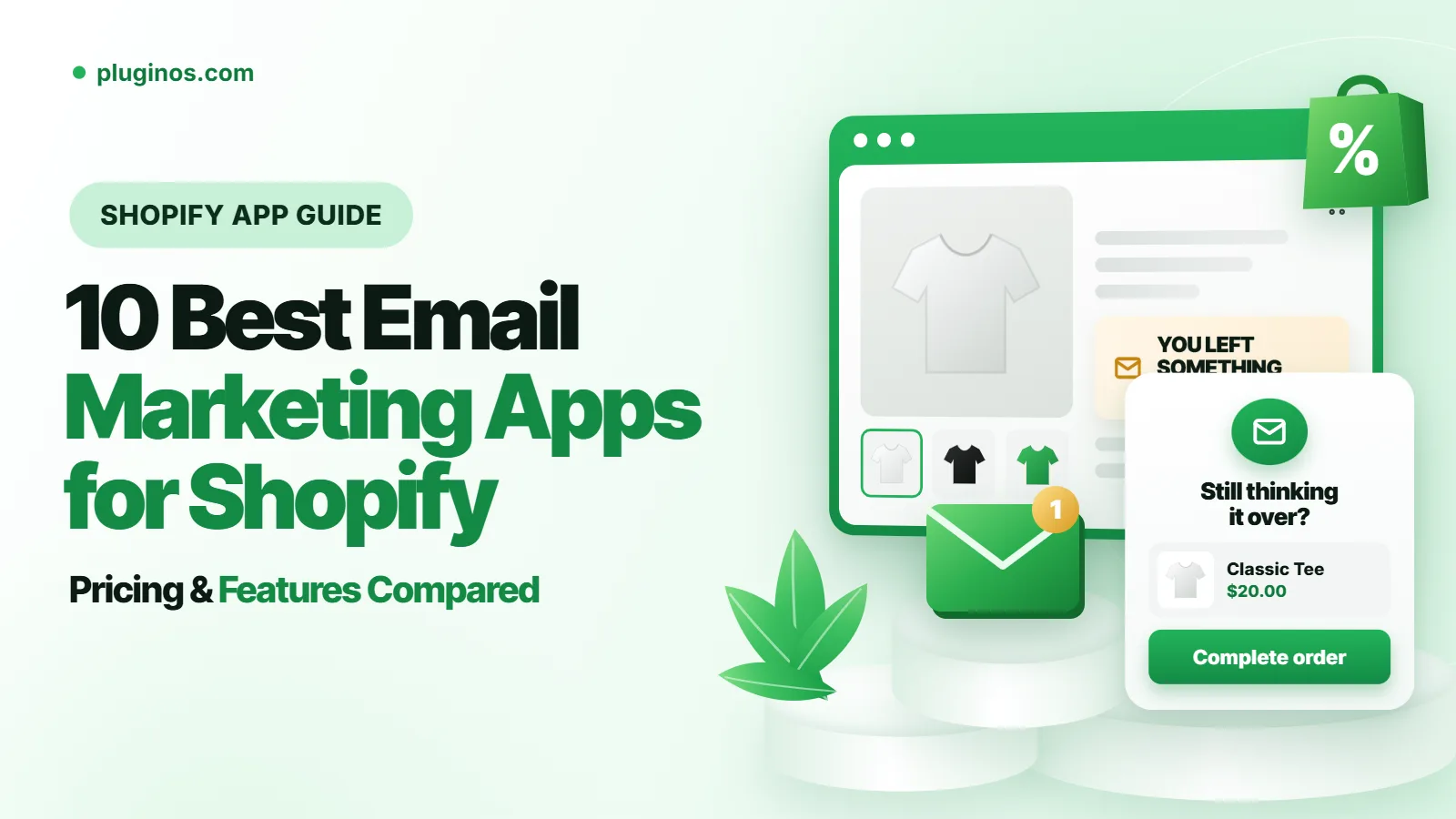
10 Best Email Marketing Apps for Shopify in 2026 (Compared)
From welcome flows to abandoned cart emails, the right email app depends on your list size and budget. We compared 10 Shopify email marketing apps, starting with Kaching Email Marketing, on pricing, automations and limits. We also explain when Shopify's built-in Messaging, with 10,000 free emails a
Nov 22, 2026 · 16 min read
10 Best Shopify Popup Apps in 2026: Pricing & Features
Popups can grow your email list or raise order value, but the wrong one slows your store or annoys shoppers. We compared 10 Shopify popup apps, led by Kaching Discount Upsell Popup, on pricing, popup types and drawbacks. We also explain how to stay within Google's guidance on intrusive popups.
Nov 22, 2026 · 17 min read
10 Best Post-Purchase Upsell Apps for Shopify in 2026
Post-purchase upsells show a one-click offer after checkout, before the Thank You page, so customers don't have to re-enter their card. We compared 10 Shopify apps, led by Kaching Post Purchase Upsell, on pricing and features.
Nov 22, 2026 · 16 min read