
How Does Measurement-Based Pricing Work in WooCommerce for Custom-Sized Products?
One fixed price can't cover fabric cut to length or flooring sold by the square meter. This guide covers how measurement-based pricing works in WooCommerce. It goes through the formulas, pricing ranges and pricing models, then how to set up the calculator and which mistakes to avoid before launch.

Nov 24, 2026 · 6 min read
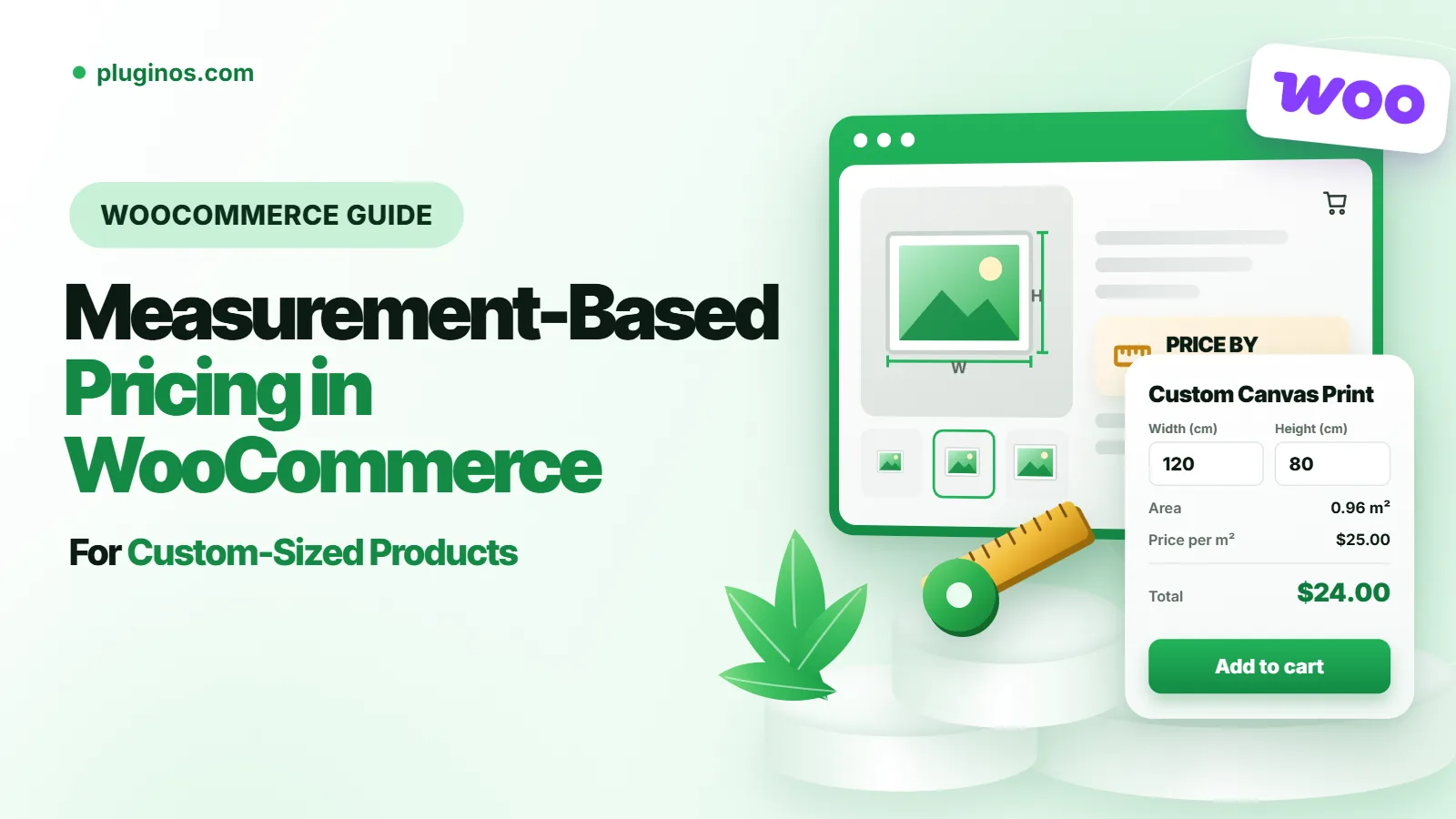
Selling custom-sized products creates a pricing problem. Customers want fabric cut to their length. They need glass, flooring, or pipes in exact sizes. One fixed price cannot cover every order. A WooCommerce measurement-based pricing calculator solves this. You set the rates, and the customer's size does the rest. Here is how that works, from the math to the setup.
What Is Measurement-Based Pricing in WooCommerce?
In simple terms, the price changes with the size the customer picks. You set a rate per unit, and the total is worked out from the measurement.
Standard WooCommerce gives each product one regular price. That suits a phone case. It fails for a roll of fabric sold by the meter. A WooCommerce measurement-based pricing calculator closes that gap. It multiplies the ordered measurement by your rate.
Common Measurement Types
Different products are sold in different ways. Here are the usual ones:
Length, for things like ribbon, rope, trim, and pipes
Width and area, for flooring, tiles, wallpaper, and curtains
Volume, for concrete, soil, mulch, and liquids
Weight, for bulk foods, metals, and raw materials
How Does the Price Calculation Work?
It comes down to multiplication. The customer's size times your rate per unit gives the price.
Here is a simple example. A store sells carpet at $12 per square meter. Say a buyer's room is 4 meters by 3 meters. That makes 12 square meters. The total comes to $144.
Basic Formulas
Most pricing follows one of these patterns:
Length: length × rate per unit
Area: width × length × rate per unit
Volume: width × length × depth × rate per unit
Weight: weight × rate per unit
Each formula uses one rate. You choose the unit that matches how you buy and sell the material.
Keep Units Consistent
Units must match across the whole product. If you price per square meter, measure in square meters. A mismatch between feet and meters can distort the total badly. Check this before you publish any product.
Why Do Custom-Sized Products Need a Different Pricing Setup?
Custom sizes create too many price combinations for standard variations. Each size would need its own entry.
Picture a roller blind sold in widths from 30 to 200 centimeters. Heights vary as well. That produces thousands of possible combinations. Building a variation for each one is not practical. Maintaining them would take even longer.
A measurement-based setup avoids this. You define your rates once. The customer's size then drives the price.
Benefits for Store Owners
Simpler catalog management
Less manual quoting
More consistent prices across orders
Fewer pricing mistakes at checkout
Benefits for Customers
Shoppers get a price tied to the exact size they need. They pay for what they order. Nobody has to guess between fixed sizes that do not fit.
How Do Pricing Ranges Work for Custom Sizes?
A pricing range assigns a rate to a band of measurements. Different bands can carry different rates.
For example, 1 to 10 square meters might cost $15 per unit. Orders from 11 to 50 square meters might cost $12. Larger orders then get a lower rate. Stores often use this approach to reward bulk buyers.
Ranges for Variable Products
Many products come in options such as material, color, or thickness. Each option can have its own price. A variable product can carry a separate range table for every variation. Simple products work the same way with a single table.
Displaying the Range Table
Some tools can show the range table on the single product page. Customers then see the rate bands before they order. That context helps them choose a size with confidence.
Which Pricing Models Work Best for Custom Sizes?
The best model depends on your product, your costs, and your customers. Most stores choose from three approaches.
Per-Unit Pricing
This is the simplest option. You charge one rate for every unit. Think of fabric by the meter or rope by the foot. Nobody needs the pricing explained.
Pricing by Size Range
Here, the rate depends on which size range the order falls into. It works well when material costs drop at volume.
Formula-Based Pricing
Formula-based pricing calculates the price from the measurements using a formula. Unit pricing then applies your rate to the result. A WooCommerce measurement price calculator plugin built around formula and unit pricing works with both simple and variable products. It covers weight, length, area, and volume units. That coverage suits stores selling very different materials.
How Do You Set Up a WooCommerce Measurement-Based Pricing Calculator?
Install a calculator plugin, then configure units and pricing on each product. Pricing is set in the product data tabs.
The process is short. Most stores follow this order:
Install and activate your plugin.
Open the product you plan to sell by size.
Pick the unit that fits, such as length, area, volume, or weight.
Enter your rate per unit, or build your pricing ranges.
Set minimum and maximum values.
Turn on stock management if the product needs it.
Test the product page with several sizes.
Setting Minimum and Maximum Limits
Limits protect your business. A minimum size covers your handling costs. Maximums keep orders within what you can produce.
Variable products need extra care. Sizes often differ between variations. Set limits on each variation instead of relying on the parent product.
Managing Stock
Stock management matters for materials you cut or measure out. Track stock for simple products directly. For variable products, track each variation on its own. That keeps your inventory counts accurate.
Test Before Launch
Test orders for every product type you sell. Try the smallest size, the largest size, and a few in between. Confirm that each total matches your own calculation.
What Mistakes Should You Avoid With Measurement-Based Pricing?
The biggest mistakes involve units, limits, and testing. Each one is easy to prevent.
Mixing up units. Price per square meter means you measure in square meters.
Skipping minimums. Tiny orders can cost more to handle than they earn.
Forgetting waste. Offcuts cost money, so fold that loss into your rate.
Leaving gaps in ranges. Check where each range starts and ends.
Setting limits on the parent only. Variable products need limits on each variation.
Skipping test orders. Check the totals before real customers do.
Does Measurement-Based Pricing Work the Same Way on Shopify?
The pricing idea is the same, but the setup is different. Shopify prices variants, not measurements.
On WooCommerce, a plugin can set the product price from the customer's input. Shopify has no built-in way to do this, and its cart-price API is limited to Shopify Plus. Calculator apps work around the gap. They generate variants on the fly and calculate the price on the server.
The pricing logic carries over well. You still set a rate per unit, add ranges for bulk orders, and set minimum and maximum limits. Wastage and unit conversion matter just as much. If you also sell on Shopify, this guide to choosing a Shopify price calculator covers the features to look for and the setup steps.
Key Takeaways
Measurement-based pricing turns a complicated sales problem into a clear process. Customers order the size they need. You charge a fair price without building endless variations.
A WooCommerce measurement-based pricing calculator suits any store that sells by size. Start with a simple per-unit rate. Add pricing ranges as your product line grows. Run a few test orders before you go live.
Written by
Pluginos
Pluginos is a WordPress, WooCommerce, and Shopify development team with 8+ years of experience building plugins, apps, and eCommerce solutions. We share practical tutorials and insights based on hands-on development experience.
Related articles

Best WooCommerce Black Friday Plugins for 2026 (and Cyber Monday)
Ten WooCommerce plugins for Black Friday and Cyber Monday, one per job: discounts, faster checkout, card-testing protection, speed, order emails and backups. Plus the free WooCommerce features to set up first, a discount margin table and a sale-week checklist.
Nov 24, 2026 · 16 min read
8 Best WooCommerce Checkout Plugins in 2026
Compare eight WooCommerce checkout plugins for custom fields, checkout redesigns, sales funnels, and Buy Now buttons. Explore features, pricing, free options, pros, cons, and compatibility considerations to choose the right tool for your store.
Oct 23, 2026 · 23 min read
13 Best WooCommerce Abandoned Cart Plugins Compared in 2026
Which WooCommerce abandoned cart plugin fits your store? Compare 13 options by features, pricing, capture limits, and checkout compatibility. Discover practical recommendations for email, SMS, WhatsApp, and wholesale recovery, plus ways to prevent avoidable cart abandonment.
Oct 22, 2026 · 22 min read