
13 Best WooCommerce Abandoned Cart Plugins Compared in 2026
Which WooCommerce abandoned cart plugin fits your store? Compare 13 options by features, pricing, capture limits, and checkout compatibility. Discover practical recommendations for email, SMS, WhatsApp, and wholesale recovery, plus ways to prevent avoidable cart abandonment.

Oct 22, 2026 · 22 min read
For a small store starting with email recovery, CartFlows is a practical first shortlist choice. FunnelKit Automations and AutomateWoo deserve attention when you need more control over workflows. Omnisend suits stores combining recovery with broader marketing, while CartBoss offers a focused SMS option.
The best WooCommerce abandoned cart plugins should fit the way your shoppers leave and return. Check whether a tool captures the contact details you need, what its full sequence costs, and whether its recovery links restore the correct products and prices.
This guide compares 13 options by business need, budget, and operational limits. It also explains guest-cart recovery, Checkout Blocks, wholesale pricing, how to prevent avoidable abandonment, and the tests to run before enabling reminders.
For tools beyond recovery, use our guide to the best WooCommerce plugins to plan the rest of your store's setup.
How this guide was researched: Product information was checked against official pages on 21 October 2026. Selection considers contact capture, recovery channels, automation, total cost, and documented limitations. Recommendations are based on documentation, not firsthand installation tests or measured recovery rates. Prices are in US dollars unless another currency is shown; promotions, taxes, and checkout offers can change the payable amount. Unverified amounts are identified below.
Publisher disclosure: Pluginos publishes this guide and offers its own recovery product and development services. Its product is linked separately from the 13 researched options; its pricing and compatibility have not been independently verified here.
Best WooCommerce abandoned cart plugins at a glance
The recommendations below describe where each product is worth evaluating. They are not measured recovery-rate rankings.
Plugin | Recommended use case | Recovery channels and dependencies | Pricing | Buying consideration |
|---|---|---|---|---|
CartFlows Cart Abandonment Recovery | Starting with email recovery | Email; Pro lists SMS; WhatsApp documentation conflicts | Free; Pro offer $99/year, renewal $149/year, up to 3 sites | Confirm WhatsApp availability before purchase |
FunnelKit Automations | Visual workflows and segmentation | Email; Pro SMS through Twilio or BulkGate | Free basic recovery; paid offer $99.50 first year, renewal at full price of $149 | Documented SMS recovery needs email and phone |
AutomateWoo | Rule-based WooCommerce workflows | Email; SMS requires paid Twilio account | $159 for one year | Guest capture differs by checkout type |
Omnisend | Recovery plus broader marketing | Email, SMS, and push through connected platform | Free to 250 contacts and 500 emails/month | Price contacts, sends, and messaging usage |
CartBounty | Cart visibility and capture options | Email; SMS through BulkGate; WhatsApp and push depend on plan/setup | Free; exact premium amounts unverified | Anonymous tracking alone does not identify recipients |
Tyche Abandoned Cart Pro | Pre-checkout capture | Email; SMS with configured messaging service | Starter $95.20 promotional first year; $119 renewal, one store | Check tier and provider requirements |
YITH Recover Abandoned Cart | Role-specific recovery | Exact current amount unverified | No checkout exit-intent popup | |
ShopMagic Abandoned Carts | Existing ShopMagic users | Email; SMS with Twilio add-on | Free recovery add-on; Delayed Actions in Pro, displayed £69/year for one site | A timed sequence may require paid functionality |
CartBoss | SMS-focused recovery | SMS through connected service | Pay-as-you-go by destination | Price the actual country mix and billing units |
Klaviyo | Stores already using Klaviyo marketing | Email; SMS subject to plan and market | Free up to 250 active profiles and 500 emails/month | Verify checkout events and cart-rebuild links |
Retainful | Email and WhatsApp workflows | Email; WhatsApp with separate Meta billing | Free 500 emails/month; displayed paid configuration $14/month for 1,000 contacts and 10,000 emails | Configure purchase exit rules before launch |
Metorik | Analytics and recovery in one subscription | Email recovery through Metorik and its WooCommerce helper | Documented Starter $25/month for 0–100 monthly orders, one store, 10,000 emails | Price rises with order volume and store requirements |
Recapture | Hosted recovery and lifecycle email | Email; SMS in a separate package | Cart-recovery configuration displayed $39/month; confirm current tier | Pricing page retains inconsistent examples |
Some options run as WordPress automation plugins; others connect WooCommerce to an external marketing service. For a connected platform such as Omnisend or CartBoss, include the service account and usage costs in your comparison. Channel availability does not mean unlimited sending is included.
The 13 plugins and who should choose them
1. CartFlows Cart Abandonment Recovery for straightforward email follow-ups
CartFlows is a sensible starting point when you want to recover incomplete checkouts without adopting a full marketing platform.
Its official listing describes capturing email when entered at checkout, scheduled reminders, recovery links, and optional unique coupons. It also distinguishes Pro reporting and rule features. A paid version exists; older descriptions calling the entire product free are incomplete.
Budget: A free version is available. The official Pro pricing page displayed a $99/year offer renewing at $149/year, with use on up to three websites.
Choose it if: Your immediate requirement is a manageable email recovery sequence.
Check before upgrading: CartFlows' own sources disagree on WhatsApp: the Pro pricing page lists it, while the WordPress listing marks it as coming soon. Obtain version-specific confirmation before buying for that channel.
2. FunnelKit Automations for visual customer journeys
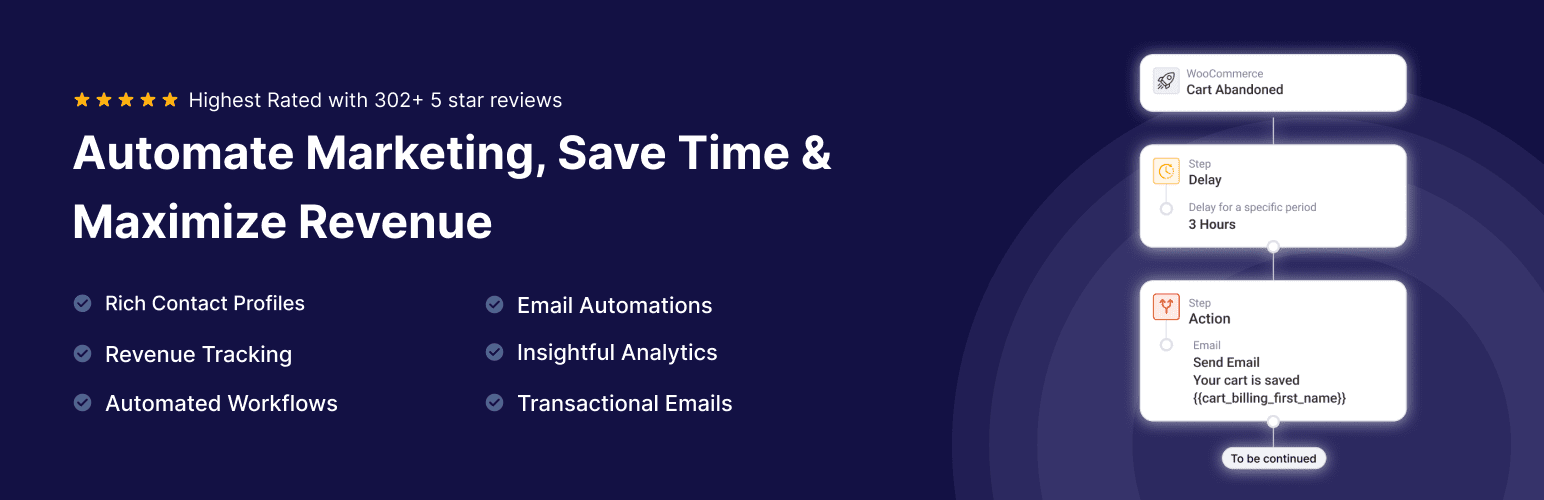
FunnelKit Automations fits stores that want cart recovery to become part of a broader customer journey.
The official FAQ includes simple abandoned cart recovery in the free version. Pro adds capabilities such as fuller segmentation and SMS automation. Its paid Automations page lists a visual builder, conditional branching, and smart delays.
Budget: The retrieved offer displayed $99.50 for the first year of the one-site Automations plan. The page lists a full price of $149 and states that renewals are at full price. Check that you are selecting Automations rather than a different funnel bundle.
Choose it if: You need different follow-ups for different customer groups and have time to maintain those branches.
Watch the dependency: The documented SMS recovery flow needs a Pro Twilio or BulkGate connector, plus both the shopper's email and phone number: the abandonment automation triggers from the email identity. A phone number alone is not sufficient for that documented flow. Include provider charges in the budget.
3. AutomateWoo for WooCommerce workflows with detailed rules
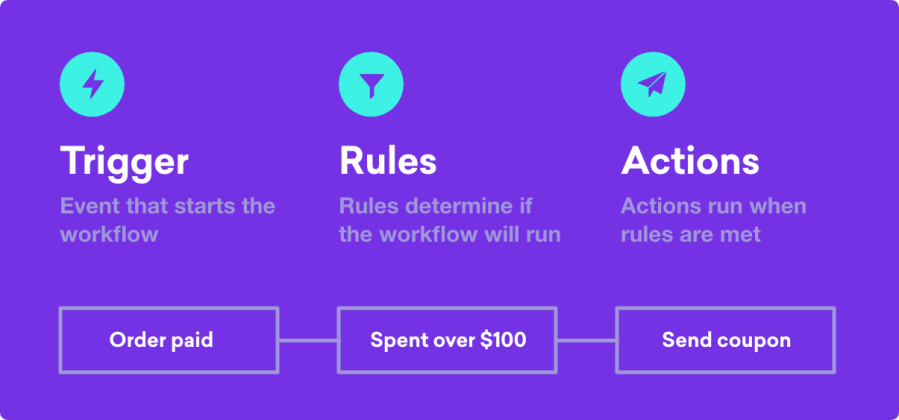
AutomateWoo builds workflows from triggers, rules, and actions. That makes it worth considering when cart recovery needs to interact with other store automation. Its marketplace price was $159 for a one-year plan.
The important qualification is guest capture. Official documentation says pre-submit capture can collect full billing details on classic checkout, but currently captures only billing email and name on block checkout.
Choose it if: You want to manage recovery through WooCommerce workflows and can configure their conditions carefully.
Check first: List the fields your follow-up requires. If a sequence depends on a guest phone number, do not assume that field is captured by the same method on both checkout types.
SMS actions also require a paid Twilio account, separate from the AutomateWoo license.
4. Omnisend for recovery alongside email and SMS marketing

Omnisend is worth evaluating when the same team needs cart recovery, campaigns, segmentation, and additional marketing channels.
Its free plan lists 250 contacts, 500 monthly emails, and 500 push notifications. The retrieved Standard configuration showed 500 contacts and 6,000 monthly emails, with a $11.20/month promotional equivalent for the initial three-month offer. That is a specific offer configuration, not a universal ongoing price.
Choose it if: You will use the wider marketing platform alongside abandoned cart automation.
Budget carefully: Estimate total campaign and automation sends. For illustration, 200 shoppers receiving three emails would require 600 sends before newsletters or other messages. That arithmetic exceeds the free email allowance; it is not a forecast of your results.
5. CartBounty for understanding which carts are recoverable

CartBounty deserves attention when you need visibility into cart activity and more ways to identify shoppers.
Its official site describes live cart monitoring, early-capture tools, recovery emails, and channel options including SMS through BulkGate, WhatsApp, and push. Availability depends on the selected tier and integration.
Budget: A free version is confirmed. Exact premium prices were not reliably exposed in the retrieved official page.
Choose it if: You want to distinguish anonymous activity from carts associated with usable contact details.
Watch the timer: CartBounty documents a 60-minute abandonment period before the configured reminder delay. Its five-minute reminder example therefore reaches approximately 65 minutes after the last cart activity. Check your actual settings rather than interpreting the delay in isolation.
6. Tyche Abandoned Cart Pro for collecting contact details earlier
Tyche Abandoned Cart Pro is a candidate when checkout-only email capture misses shoppers you want to reach earlier.
Its Starter feature list includes add-to-cart and exit-intent popups, checkout email/phone capture, recovery emails, SMS reminders, coupons, and prebuilt workflows.
Budget: Starter displayed $95.20 for the promotional first year and a $119 renewal for one store. The same page lists higher tiers, so check the tier needed for your integrations.
Choose it if: Earlier contact capture is important enough to justify another interaction in the shopping experience.
Check first: Test the popup on mobile and assess whether it disrupts purchasing. Also verify messaging setup and usage charges; a listed SMS feature does not establish your complete sending cost.
7. YITH Recover Abandoned Cart for role-specific email recovery
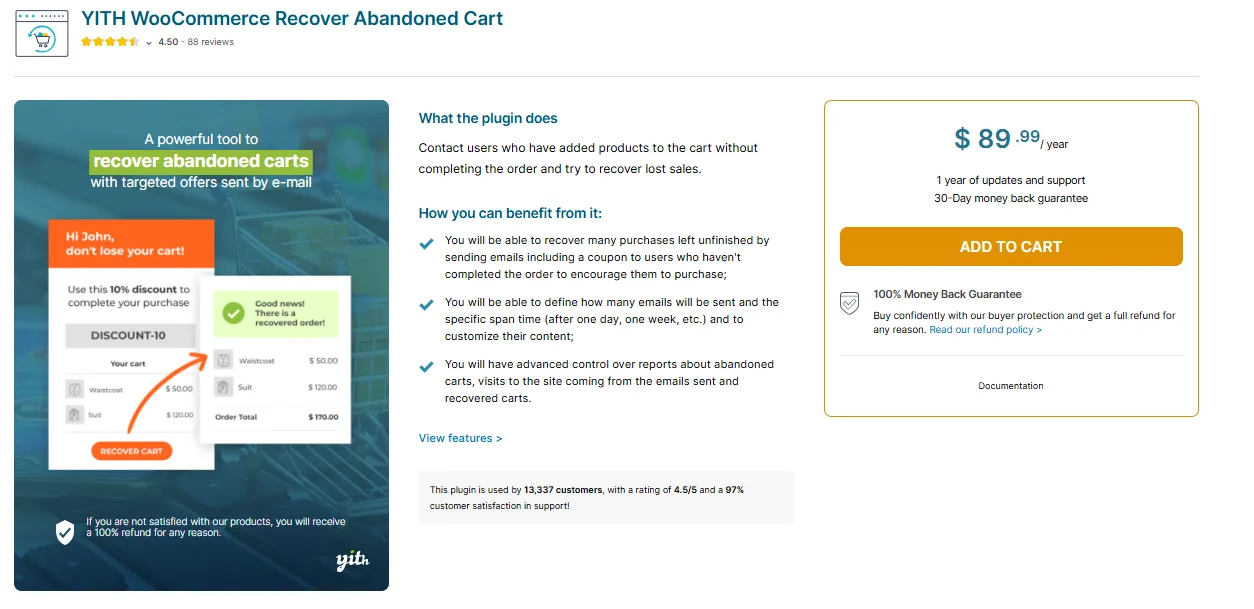
YITH is worth shortlisting when you want to include or exclude particular WordPress customer roles.
Its official page documents guest recovery, role-specific recovery, scheduling, coupons, and pending-order recovery. Its FAQ confirms that a checkout exit-intent popup is unavailable and that its order-recovery functionality does not cover failed or cancelled orders.
Budget: The current price could not be verified from the retrieved official page. Confirm it directly rather than relying on an older roundup.
Choose it if: Role targeting is central to your recovery plan, especially in a mixed retail and wholesale store.
Check first: Role targeting alone does not prove compatibility with negotiated prices, quote workflows, or a particular wholesale plugin. Test the complete return journey.
8. ShopMagic Abandoned Carts for an existing ShopMagic setup

ShopMagic Abandoned Carts is a natural candidate if your store already uses ShopMagic automation.
The free recovery add-on saves details from partial purchases and supports guest and registered customers. The product page also identifies a Twilio add-on for SMS and states that its delay option requires the Delayed Actions add-on.
Budget: The recovery add-on is free. Delayed Actions is included in ShopMagic Pro; its official page displayed a Personal plan at £69 billed yearly for one site's updates and support. Check the current currency and plan at purchase, and add messaging-provider usage separately.
Choose it if: You prefer extending an existing automation setup.
Check first: Build the full sequence on paper, including timing. Compare the cost and maintenance of every required add-on before treating a free recovery component as a free complete solution.
9. CartBoss for SMS-focused abandoned cart recovery

CartBoss focuses on SMS cart reminders. Its official pricing uses a pay-as-you-go model rather than a monthly subscription.
Budget: The retrieved destination table listed €0.025 per SMS for the United States and €0.0557 for the United Kingdom. Those are destination examples, not a universal campaign rate.
Choose it if: You have an appropriately contactable phone audience and want to evaluate a dedicated SMS recovery service.
Check first: Confirm destination coverage, billing units, message segmentation, and applicable charges. Price the sequence using your real country mix, then compare the resulting cost with the contribution from additional orders.
10. Klaviyo for stores already using event-based marketing
If your store already uses Klaviyo, evaluate its WooCommerce integration before adding a separate recovery tool. Its official integration guide documents Started Checkout events and a cart-rebuild key for links in abandonment emails.
Budget: The free plan includes up to 250 active profiles and 500 monthly email sends. Paid pricing depends on your selected profile and messaging configuration; the free allowance is an evaluation starting point, not unlimited recovery capacity.
Choose it if: Your team already manages customer segments and campaigns in Klaviyo and wants recovery in the same system.
Check first: Confirm that Started Checkout and Placed Order events arrive, then test the rebuild link in a fresh session. A connected account alone does not prove that the trigger, restoration link, and purchase suppression are configured correctly.
11. Retainful for email and WhatsApp recovery workflows

Retainful offers WooCommerce recovery workflows, guest email capture, recovery links, and campaign reporting. Its pricing page also lists email and WhatsApp within the same automation system.
Budget: Free includes 500 emails per month. The displayed paid configuration was $14/month for 1,000 contacts and 10,000 monthly emails. WhatsApp usage is billed separately by Meta; free access to the integration does not mean free messages.
Choose it if: You want to evaluate email recovery alongside WhatsApp without buying a separate platform for each channel.
Check first: Set the purchase exit rule. Retainful's documentation says it must be configured to remove buyers from the flow; do not assume that selecting a template completes purchase suppression. Test that rule and re-entry settings before enabling the sequence.
12. Metorik for combining analytics with cart recovery
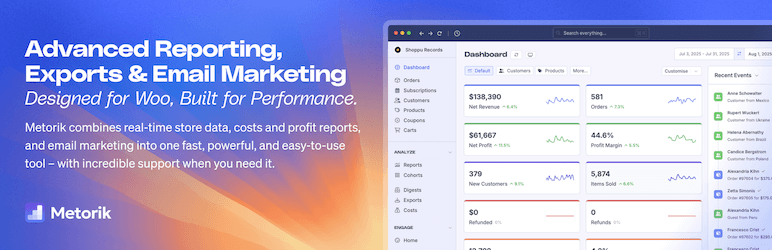
Metorik is worth evaluating when your team also needs store reporting. Its WooCommerce helper supports cart tracking and recovery; documented email features include cart-based personalization, unique coupons, and recovery reporting. Its FAQ distinguishes known customers from unidentified guests, whose carts are not tracked before contact capture.
Budget: Official billing documentation lists Starter at $25/month for 0–100 monthly orders, one connected store, and 10,000 included emails. Billing considers average order volume over the preceding three months and connected-store requirements; extra email packs can add cost.
Choose it if: The analytics subscription has value to your team beyond recovery emails.
Check first: Model the price using total store orders, not just recovered orders. An order-volume pricing model can behave differently from contact-based email software as your business grows.
13. Recapture for a connected recovery service
Recapture connects WooCommerce to a hosted account through its WordPress plugin. Its pricing page lists abandoned cart emails, post-purchase messages, win-back emails, popups, and reporting, with separate email-broadcast and SMS packages.
Budget: The displayed cart-recovery configuration was $39/month. However, the same page's FAQ retains a $29 base-tier example and describes billing according to revenue recovered over the previous 30 days. Confirm your applicable tier and charges directly rather than treating either number as a universal fixed price.
Choose it if: You prefer evaluating a connected service focused on recovery and related customer emails.
Check first: Obtain a quote covering recovery, broadcasts, and SMS separately. Test WooCommerce capture and return links; this guide does not claim measured deliverability or performance advantages over local plugins.
Which plugin fits your store size and budget?
Store size is useful context, but workflow complexity and reachable shoppers are better selection criteria than revenue alone.
Your situation | Start by evaluating | What justifies paying more |
|---|---|---|
Small store needing its first reminders | CartFlows or FunnelKit's free recovery | A necessary rule, reporting capability, or integration |
Growing store with several customer segments | FunnelKit Automations or AutomateWoo | Clear branches and maintainable automation |
Marketing team managing multiple campaigns | Omnisend, Klaviyo, or Retainful | Replacing duplicated marketing systems |
Many anonymous carts | CartBounty or Tyche's capture options | More identified, eligible shoppers without damaging checkout |
Existing ShopMagic user | ShopMagic Abandoned Carts | Required add-ons at an acceptable total cost |
Mixed retail and wholesale business | YITH for role controls, plus a compatibility test | Correct pricing and follow-up for each buying state |
SMS-focused recovery | CartBoss or a documented SMS integration | Profitable reach into your actual customer countries |
Team also buying store analytics | Metorik | Useful reporting as well as recovery, at the applicable order tier |
Team seeking a focused hosted service | Recapture | Clear scope and confirmed usage-based charges |
If your current email platform already has a working WooCommerce recovery flow, compare its gaps and upgrade cost before adding another system. Buy the capabilities you can operate and measure.
Check what the plugin can capture before comparing channels
An anonymous cart and a recoverable cart are different things. CartBounty explicitly distinguishes anonymous carts without contact information from identified carts eligible for recovery.
For your store, check four stages separately:
Capture: Is the cart saved, and at what point?
Identification: Is it linked to an email, phone number, account, or permitted push subscription?
Eligibility: Is that shopper eligible for the intended communication?
Restoration: Does the reminder return them to an accurate, usable checkout?
Ask vendors: “Can you capture a guest email without checkout submission on my checkout type?” That question is more useful than “Do you support guest carts?”
Compare recovery rates using the same denominator. Orders recovered from identified carts cannot be fairly compared with orders recovered from all recorded carts, including anonymous traffic.
If WhatsApp is part of your shortlist, review Pluginos Abandoned Cart Recovery through WA for WooCommerce. Confirm its current features, pricing, messaging setup, and compatibility against the same requirements before choosing it.
Compare the full cost of abandoned cart recovery
Calculate the monthly equivalent of the complete setup:
Software and add-ons + email delivery + SMS/WhatsApp usage + setup and maintenance.
Then account for discounts and refunds when measuring the orders it produces. Keep introductory prices separate from renewal costs.
Illustrative example, not a performance benchmark: Suppose a campaign produces 12 genuinely additional orders, each contributing $25 after discounts, refunds, and variable fulfilment costs. That is $300 of contribution. If software and messaging cost $80 for the same period, $220 remains before any additional operating costs.
The difficult input is “genuinely additional.” A plugin's attributed recovered revenue does not establish that every buyer would otherwise have stayed away. Where volume permits, compare an eligible recovery group with a comparable holdout group.
Check compatibility with your actual WooCommerce setup
Use this acceptance checklist before enabling a live sequence. These are recommended tests, not claimed results for every product.
Test | What to verify |
|---|---|
Classic checkout or Checkout Blocks | Required contact fields are captured before submission |
HPOS configuration | Vendor support for your version and correct purchase detection |
Custom checkout or checkout builder | Capture works with your actual fields and layout |
Variable products and product options | Correct variation, quantity, and options return |
Price or stock changes | Returning shoppers see current valid purchase conditions |
Currency and tax settings | Message and checkout values are understandable and consistent |
Completed purchase | Later reminders stop as intended |
Mobile recovery link | Checkout opens and remains usable on a fresh session |
Other recovery systems | Messages do not overlap unexpectedly |
Cart data lifecycle | Retention, deletion, export, and data location suit your requirements |
If a required combination is undocumented, ask for confirmation and test it on staging. A general WooCommerce compatibility claim cannot resolve every checkout customization. If your requirements need a custom integration, explore our WooCommerce development services to discuss the scope.
Test with your current theme. If you are already planning a redesign, our comparison of WooCommerce WordPress themes provides a separate starting point for evaluating alternatives.
B2B and wholesale stores need a different recovery check
Wholesale customers may be waiting for approval, negotiating a quote, or purchasing under account-specific terms.
If you are still choosing the wholesale foundation, compare the top WooCommerce B2B plugins before adding recovery automation. Identify which system should manage pricing, registration, and quotes.
B2BKing, for example, documents a quote workflow involving negotiation, offers, and eventual checkout. That makes a pending quote a different buying state from a shopper who left an ordinary retail checkout.
Before pairing recovery software with B2BKing, Wholesale Pro, Wholesale Suite, or another wholesale system, test whether:
Recovery links preserve the correct identity and authorized wholesale price.
Minimum quantities and order-value rules still apply.
An approval-pending account follows the correct path.
Open quotes avoid conflicting retail coupons.
Payment terms remain available where appropriate.
Changes to a customer's role are respected.
Practical recommendation: Separate retail abandonment, wholesale abandonment, and quote follow-up. A buyer waiting for a freight estimate may need sales assistance rather than an automatic discount.
Compatibility between every plugin pair above has not been independently verified.
How to prevent WooCommerce cart abandonment before sending reminders
Recovery and prevention solve different problems. A reminder gives an identified shopper a route back; prevention removes an obstacle while that shopper is still buying.
Baymard's checkout research identifies extra costs, slow delivery, account requirements, trust concerns, complicated checkout, and technical errors among reasons shoppers report abandoning purchases. It also distinguishes shoppers who are simply browsing. Use your own checkout evidence to decide which issue to fix first rather than assuming every abandoned cart needs a discount.
Show costs and delivery expectations before the final step
Review a product as a customer in each main shipping region. Can you understand delivery charges, thresholds, likely arrival, and any additional fees before committing to payment?
Where an exact shipping total needs an address, explain that requirement and make the estimate easy to obtain. If you offer free shipping above a threshold, show the remaining spend accurately. Test discounted baskets and excluded products so a progress bar does not promise an offer the checkout rejects.
Make guest checkout easy where your business allows it
For ordinary retail purchases, review whether account creation is necessary before payment. WooCommerce provides guest-checkout controls under Settings → Accounts & Privacy. Its documentation notes that subscription customers still need an account.
Keep business-specific exceptions intentional: approved wholesale accounts and subscription purchases may need a different path. Test a logged-out purchase rather than judging the experience while signed in as an administrator.
Reduce form friction and check the mobile experience
Review every field and retain the information needed for payment, fulfilment, and your purchasing rules. Defer optional marketing questions when they interrupt checkout.
On a phone, test address entry, variation selection, quantity changes, coupon handling, validation messages, and the payment button. Check whether a sticky banner or popup obscures a required control. If you trial a side cart or faster-checkout tool, compare completed purchases and errors as well as add-to-cart activity.
Diagnose payment failures and slow checkout steps
Complete test transactions using the payment methods your customers actually choose. Check redirects, authentication steps, failed-payment messages, and the route back to the cart.
Review checkout errors and customer support reports before installing another extension. After changes to caching, scripts, payment gateways, or checkout builders, retest the purchase journey. A recovery email should not return a shopper to the same unresolved payment failure.
Answer trust and product questions before checkout
Make delivery, returns, support contact details, and product limitations easy to find. Use accurate stock messages, genuine reviews, and clear product information. For products with sizing, compatibility, or customization requirements, explain those choices before asking for payment.
If buyers routinely ask the same question before purchasing, answer it on the relevant product page and in the appropriate reminder. For a wholesale order, that answer may concern freight or payment terms rather than a coupon.
Keep capture tools from interrupting ready-to-buy shoppers
Test early-capture and exit popups on a real phone. Check whether they are dismissible, repeat unnecessarily, or block checkout. Treat a higher number of captured contacts as useful only when completed purchases and customer experience remain acceptable.
Track prevention and recovery separately: checkout completion and errors for the former; eligible-cart recovery and incremental contribution for the latter. Change one major element at a time where practical, and compare similar traffic and promotion periods.
Launch a small sequence and verify the whole journey
Begin with one reminder, a useful recovery link, and a clear way to request help. Check that it works before adding branches, discounts, or more channels.
For a retail store, testing a first reminder around one hour after abandonment is a reasonable starting hypothesis—not a universal optimum. Check whether the plugin adds a separate abandonment period before that delay. B2B timing should reflect the purchasing process.
Run a controlled purchase journey:
Start a fresh browser session and create a cart.
Enter eligible contact details without completing checkout.
Confirm capture and the expected abandonment time.
Check that the message is queued, accepted by the provider, and delivered.
Open its link and inspect products, prices, and checkout.
Complete the purchase and confirm later reminders are suppressed.
If a message is missing, locate the failure stage before changing its copy: capture, scheduling, queue processing, provider acceptance, inbox delivery, or restoration.
Preparing for a seasonal promotion? Use our guide to WooCommerce plugins for Black Friday and Cyber Monday alongside these checks to plan checkout, discounts, and order handling before the sale begins.
Frequently asked questions
What is the best free WooCommerce abandoned cart plugin?
CartFlows is a practical first choice for basic recovery emails. FunnelKit also documents simple cart recovery in its free Automations version. Choose based on the sequence you need and whether capture works on your checkout.
Can abandoned carts be recovered without an email address?
Email recovery requires an address associated with the shopper. SMS or push may provide another route when the shopper is identified and eligible for that channel, but requirements differ by product. FunnelKit's documented SMS cart flow still requires both email and phone. Recording an anonymous cart does not create a contactable recipient.
Which abandoned cart plugin works with Checkout Blocks?
Verify the exact fields and workflow, not just a compatibility label. AutomateWoo documents block-checkout guest capture for billing email and name, compared with fuller billing capture on classic checkout. Other products need their own version-specific verification.
Can I use two abandoned cart plugins together?
Only with deliberate coordination. Define which system owns each message, how purchases suppress reminders, and how frequency limits work. For an initial setup, one primary recovery system is easier to audit.
Should every recovery email include a discount?
No. Start by helping customers resume checkout or resolve a question. Add an incentive only when it fits your margins and purchasing rules. Evaluate profit after discounts rather than judging the sequence solely by attributed revenue.
Why are abandoned cart emails not sending?
Check whether contact details were captured, the abandonment timer elapsed, the shopper remains eligible, the job ran, and the sending provider accepted the message. Then inspect delivery and suppression logs. A missing email is not always a template problem.
Are side carts also abandoned cart recovery plugins?
A side cart improves the shopping experience while someone is browsing. Recovery automation follows up after abandonment. If you need both functions, verify them separately rather than assuming one includes the other.
Choose the simplest plugin that meets your recovery requirements
Choose two candidates based on the problem you need to solve: basic email recovery, more flexible workflows, earlier contact capture, or an additional messaging channel. Price the complete sequence, then test guest capture, restoration, and purchase suppression on your own checkout. Wholesale stores should include role-based pricing and quote handling in that test.
Expand the automation only after the basic sequence works and produces enough additional contribution to justify its cost.
Once you know which capability is missing, browse our WordPress plugins for relevant options. Add a tool because it solves a defined problem, then verify it with the rest of your store
Written by
Pluginos
Pluginos is a WordPress, WooCommerce, and Shopify development team with 8+ years of experience building plugins, apps, and eCommerce solutions. We share practical tutorials and insights based on hands-on development experience.
Related articles
7 Best WooCommerce Request a Quote Plugins
Compare WooCommerce request a quote plugins for custom orders, wholesale sales, and negotiated pricing. Explore features, pricing, limitations, and practical buying advice to find the right fit for your store
Oct 21, 2026 · 12 min read
Top 10 WooCommerce B2B Plugins in 2026 (Which Is Best?)
Which WooCommerce B2B plugin suits your business? Compare 10 options for wholesale pricing, bulk ordering, quotes and company accounts, with practical examples and advice for your budget.
Oct 19, 2026 · 19 min read
Best WooCommerce Plugins for Black Friday & Cyber Monday 2026 (Free & Paid)
Prepare your store for Black Friday and Cyber Monday 2026 with essential WooCommerce plugins for faster pages, smarter discounts, smoother checkout, and reliable order management. Discover free and paid options, plus practical tips to keep your sale running smoothly.
Oct 15, 2026 · 17 min read